
Console Storybook
Browse production Console pages, components, and Agent workflows against an in-memory fixture. Previews contact no services and run no workloads. Use dummy credentials.
Run locally
From the repository root, with Node.js 24+ and the pinned pnpm version:
npm run storybook:installnpm run storybookOpen http://127.0.0.1:6006. Each story starts an independent fixture;
Reset story discards its changes. Existing Installations and other tabs'
sessions are not used.
To build and serve a static copy:
npm run storybook:buildpython3 -m http.server 6006 --bind 127.0.0.1 \ --directory scripts/console-storybook/dist/siteServe at the origin root for absolute /console/ URLs. Build fingerprints version
fixture pages and module imports against stale cached UI. CI uploads a static
artifact without publishing the documentation site.
Appearance review
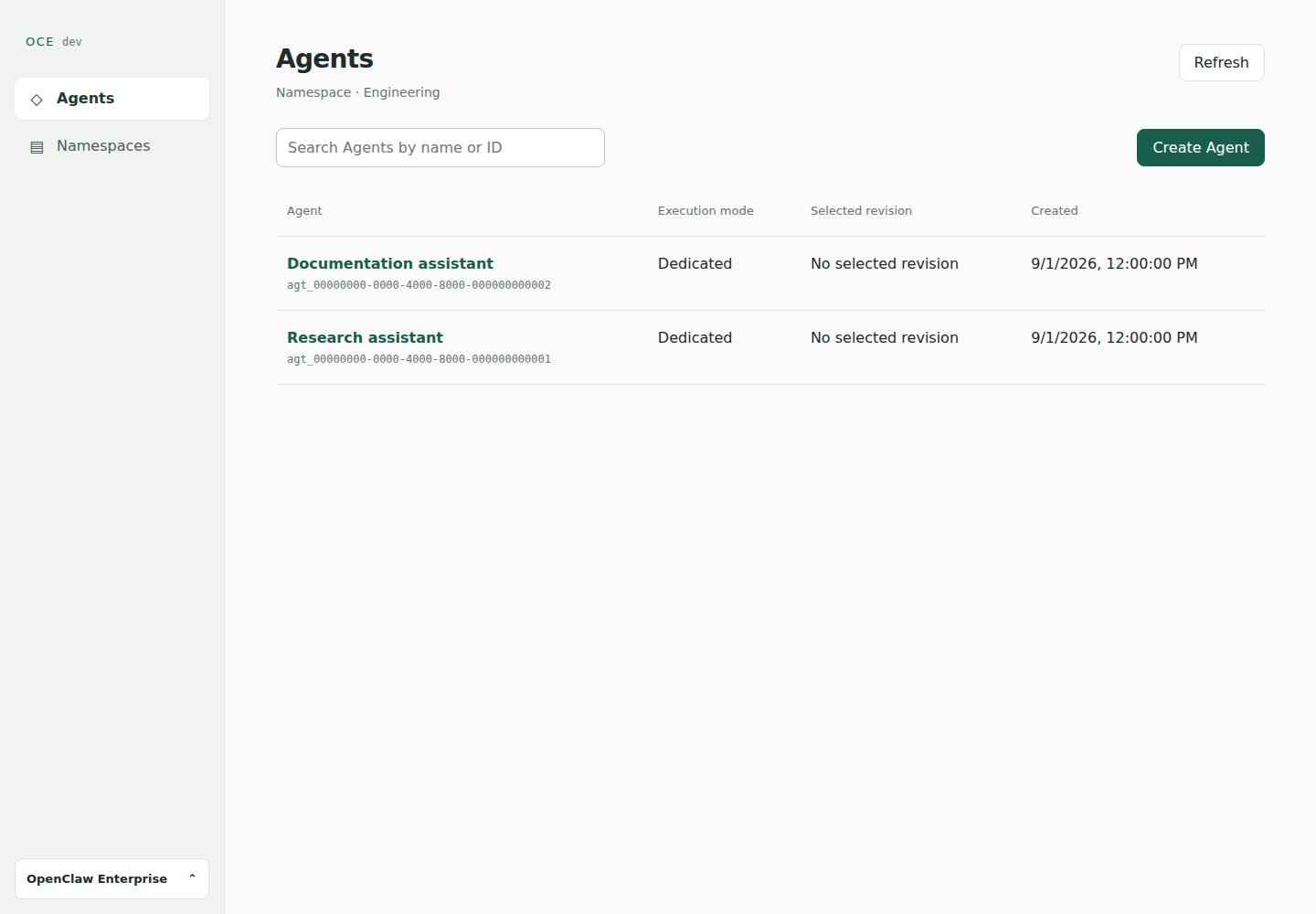
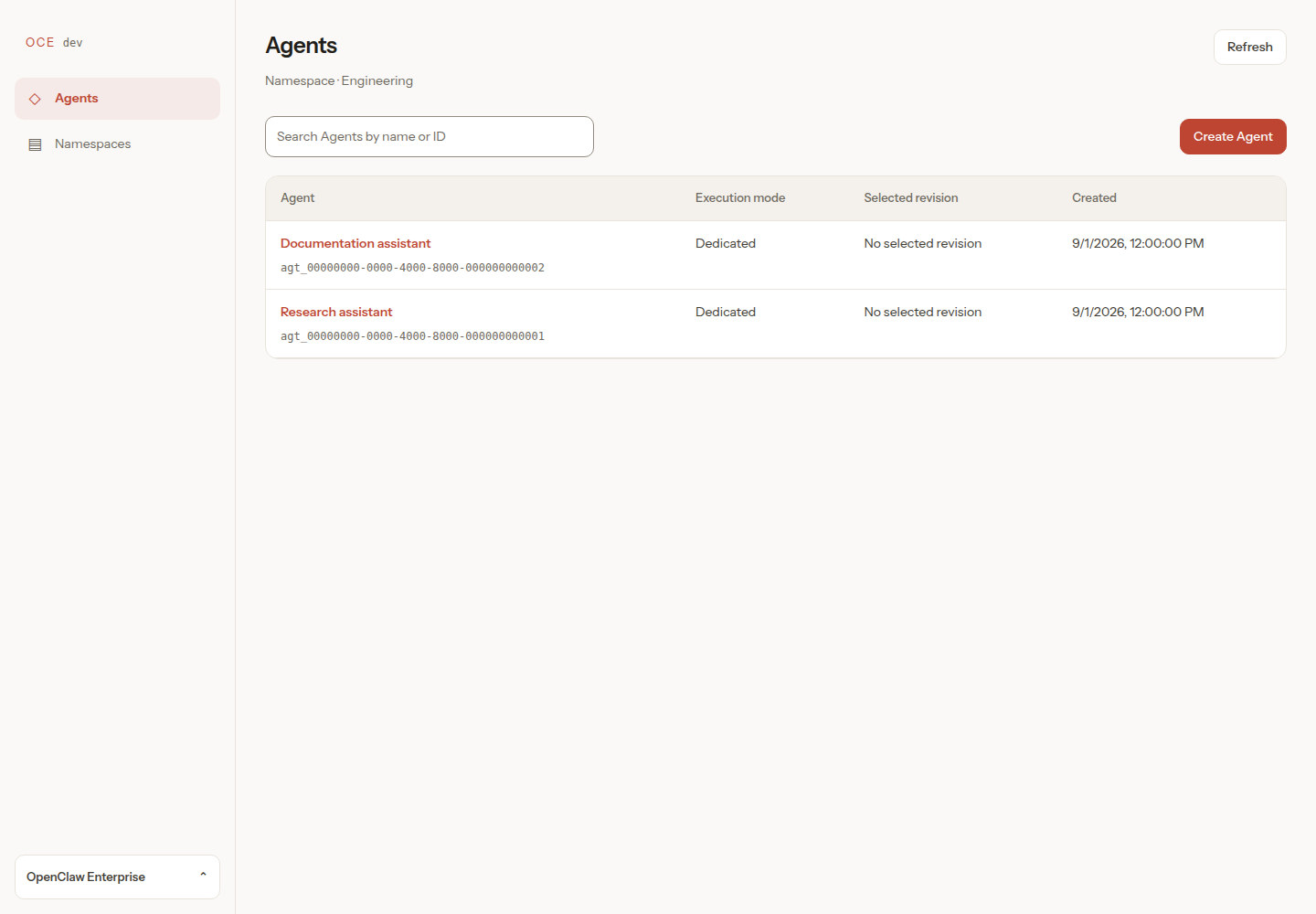
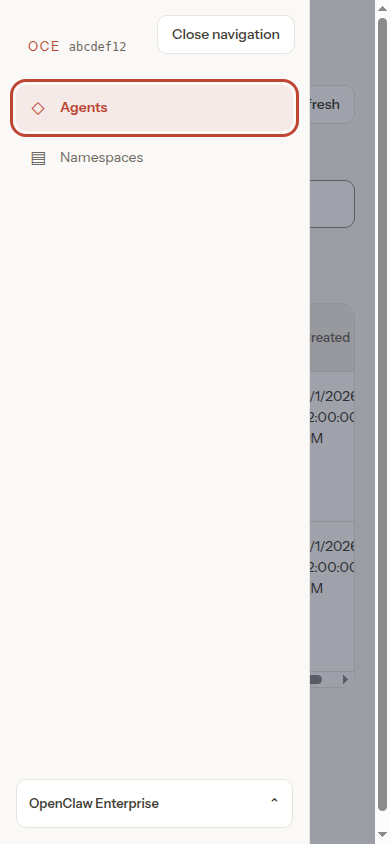
Use Pages/Agents → Populated to review the shared shell and controls. Check desktop (1440 × 1000), tablet (768 × 1024), and mobile (390 × 844); use keyboard focus, search, navigation, and an open dialog. Include empty, loading, error, permission-denied, and missing-credential stories. The console stays light with either system appearance preference.
The console's Claw palette, type scale, and surface geometry reference
OpenClaw 6e8d06876fd166064abbec4928fb3bb109ebe999,
particularly src/styles/base.css, layout.css, and components.css.
OCE retains its own navigation and workflows. Input borders are stronger than
the reference's decorative dividers to keep controls distinguishable. The
self-hosted Instrument Sans subset retains its SIL Open Font License beside
the font; unsupported glyphs use the system fallback.
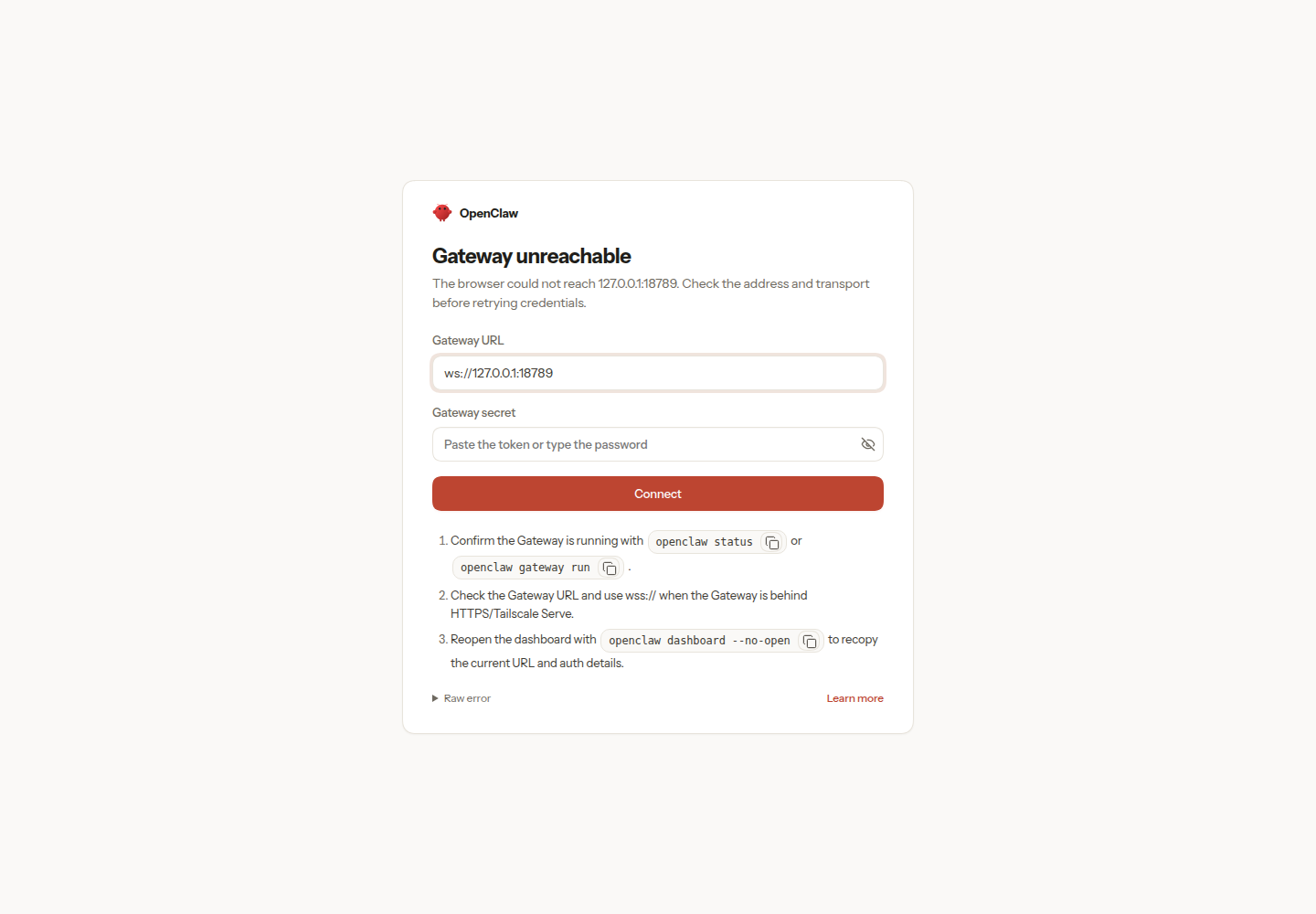
Compare before, after, mobile, and the walkthrough. These are simulated Storybook UI evidence, not live backend or deployment proof. The reference screen shows OpenClaw's disconnected gateway screen at the revision above.
Pages and components
Stories reach error states through real controls after loading fixture data.
| Group | Coverage |
|---|---|
| Sign in | Password and GitHub sign-in, discovery failure, GitHub errors, rejected login, expired session, session-read failure, loading, unconfirmed logout. |
| Agents | Populated and empty collections, no search matches, inaccessible Namespace, no readable Namespaces, permission denial, read failure, loading. |
| Backends | Configured, empty, and discovery failure. |
| Namespaces | Ready and provisioning, empty, permission denial. |
| Settings and navigation | Signed-in account and unknown route. |
| Create Agent | Preset variables, no Presets, fixed model choices before credential entry and manual model IDs, OpenAI Codex/OpenClaw and Anthropic OpenClaw harnesses, Service Accounts switching and bound Presets, seeded workspace files, storage/grant denial, repository selection/discovery and rejected-grant recovery, invalid JSON, partial save/conflict, unknown save outcome. |
| Agent detail | First and later drafts, version details, native JSON and plugin editors, immutable plugin snapshot, queued/running/succeeded/failed activity, exact-version diagnostics, error and permission states. |
| Navigation components | Account menu, Namespace switcher, mobile drawer, admin link and denial, OCE branding, simulated OCC revision, missing development metadata, debug runtime image identities and unavailable metadata. |
| Channels | Unconfigured cards, Slack editor with pairing/open/disabled policies, everyone and restricted channel sender access, incomplete sender access, unsupported mixed sender lists, unsupported wildcard channel maps, read-only snapshot, save conflict. |
| Credentials | Named Secret selection and creation, API-key and Slack Secret switching, denied metadata and grants, partially missing tokens, missing authentication, operator-managed credentials, issued ChatGPT account, model Secret replacement, pending grants, and unknown authentication saves. |
| Native admin | Available launch, stopped or unsupported runtime, denied panel hidden. The launch target is an explanatory fixture page. |
| Workspace | Four editable deployed files, undeployed Agent, denied reads, missing file, unknown write outcome. |
| Stop Agent | Confirmation, stopped requested state, permission denial, unknown outcome requiring refresh. |
| Deletion | Confirmation, pending cleanup, permission denial, conflict, unknown outcome. |
Pending-read stories use the real client's 15-second timeout; reset them to replay loading.
Return navigation
Use Pages/Navigation → Return to loaded pages and Return to Agent panels. Search, expanded configuration, native admin access, and Credentials should survive Back/Forward and tab changes. Refresh reloads. Return access denied and Return session expired must clear retained content.
Agent flows and UI gaps
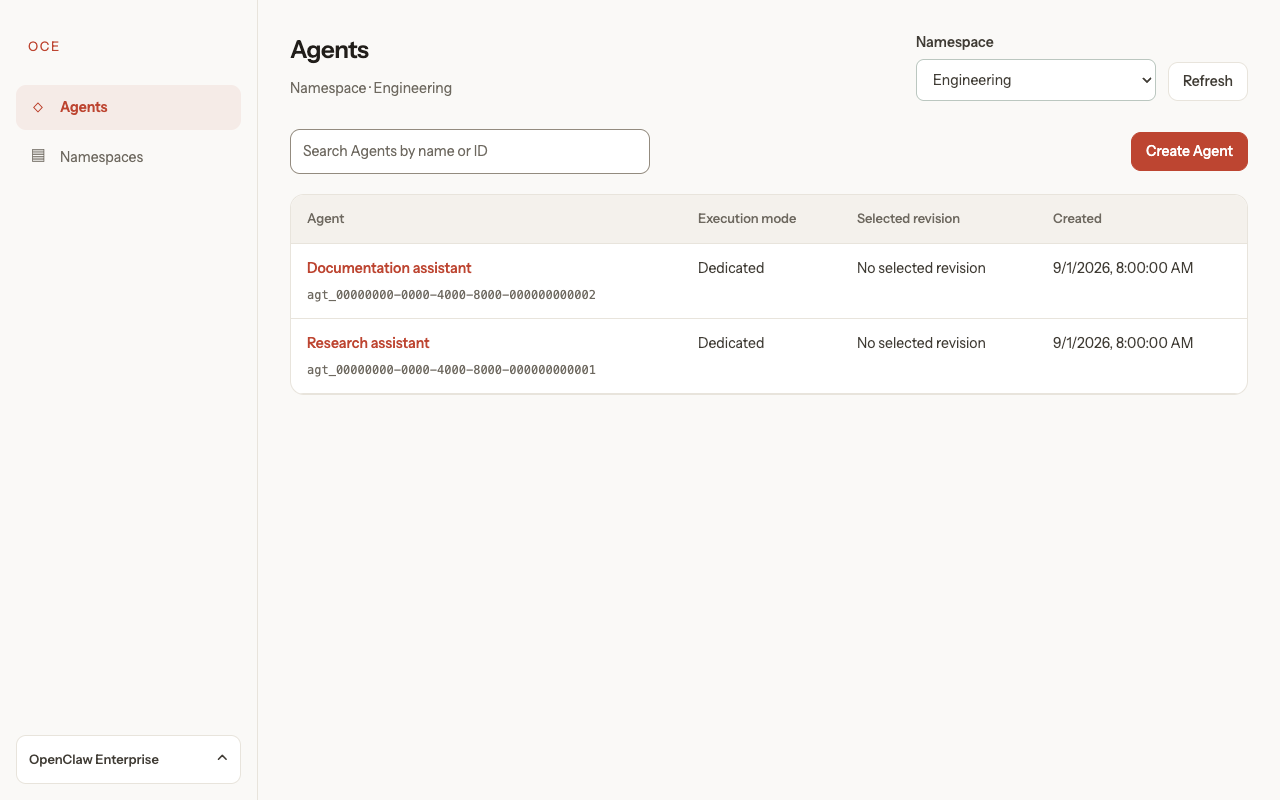
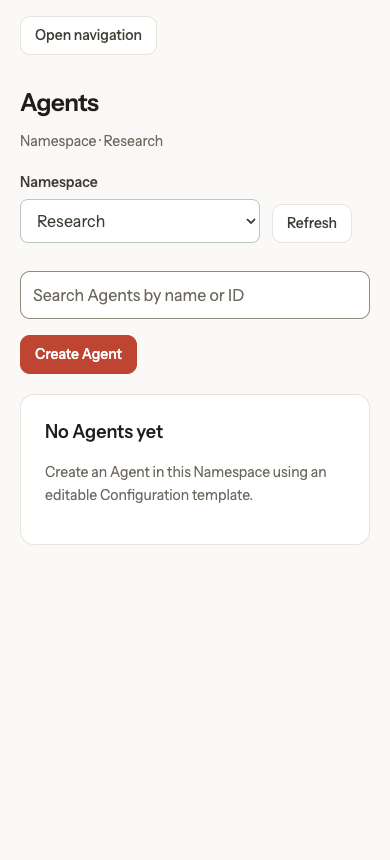
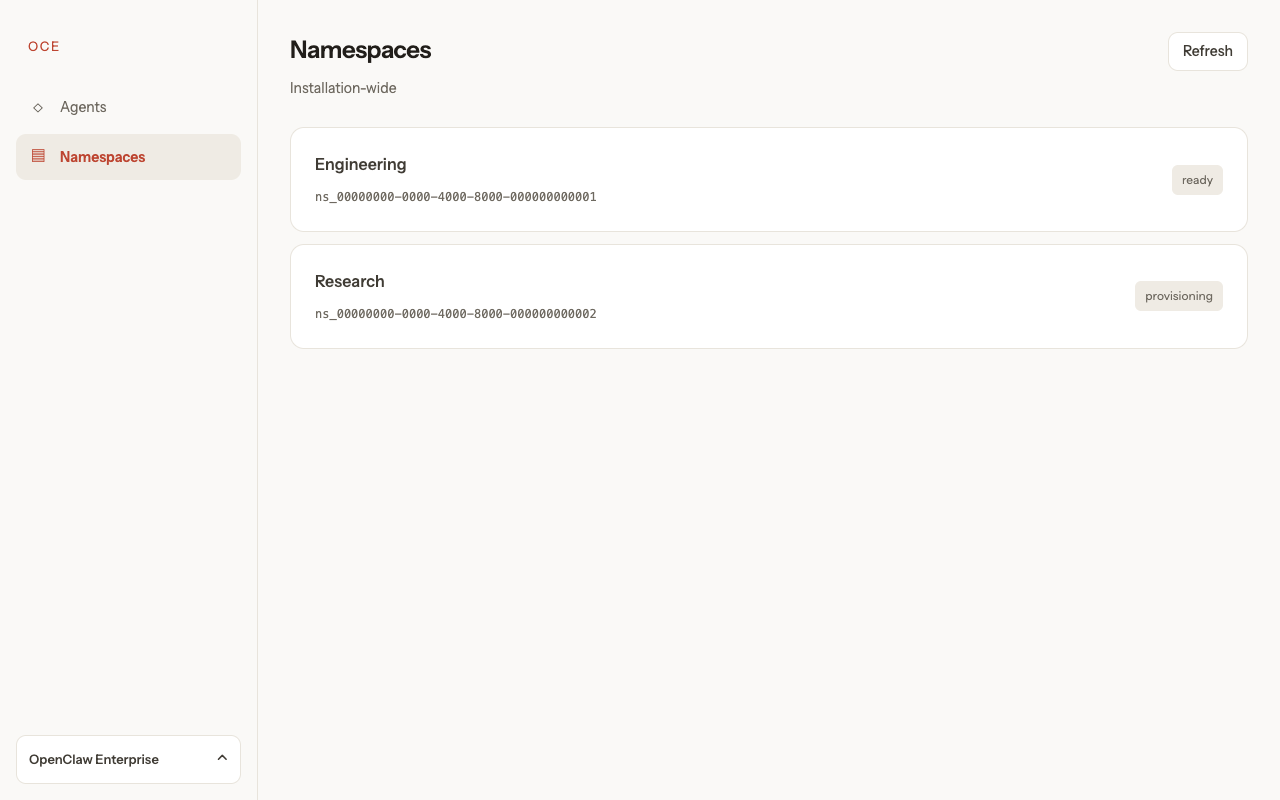
In Components → Navigation → Namespace switcher, switch Engineering/Research and check URL, collection, and Back behavior. Namespaces omits the header selector. Mobile Namespace selector checks long-name truncation and switching without the drawer. No-readable, unavailable, loading, and denied stories cover restrictions.
Use Pages → Namespaces → Unavailable selection to recover inline. Check the URL, dismissed warning, unchanged page, and Back navigation. Unavailable selection mobile repeats this at 390px; Unavailable selection without access shows access guidance. Simulated examples: desktop, mobile, recovered, no access, and walkthrough.
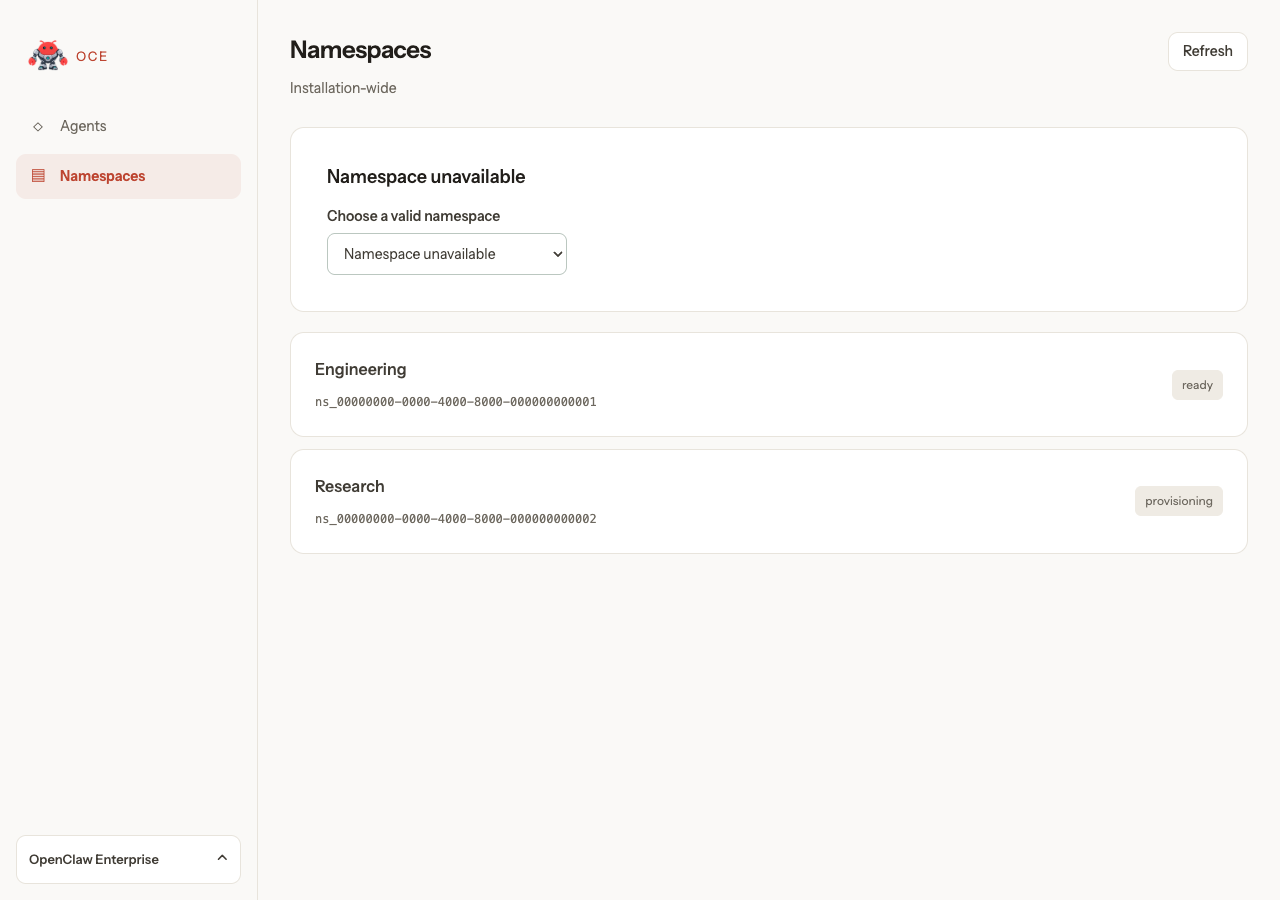
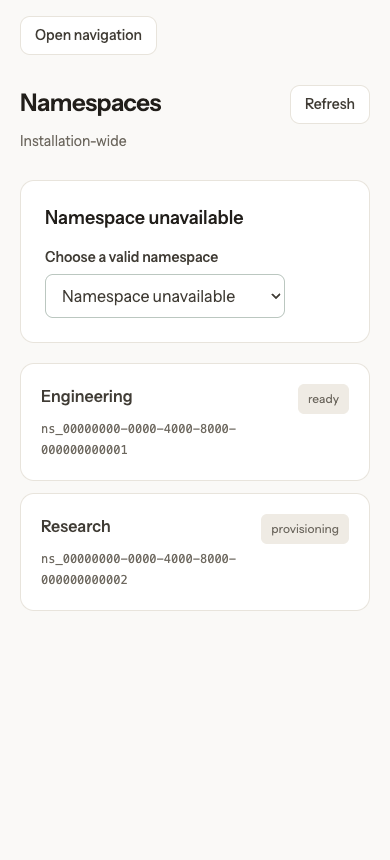
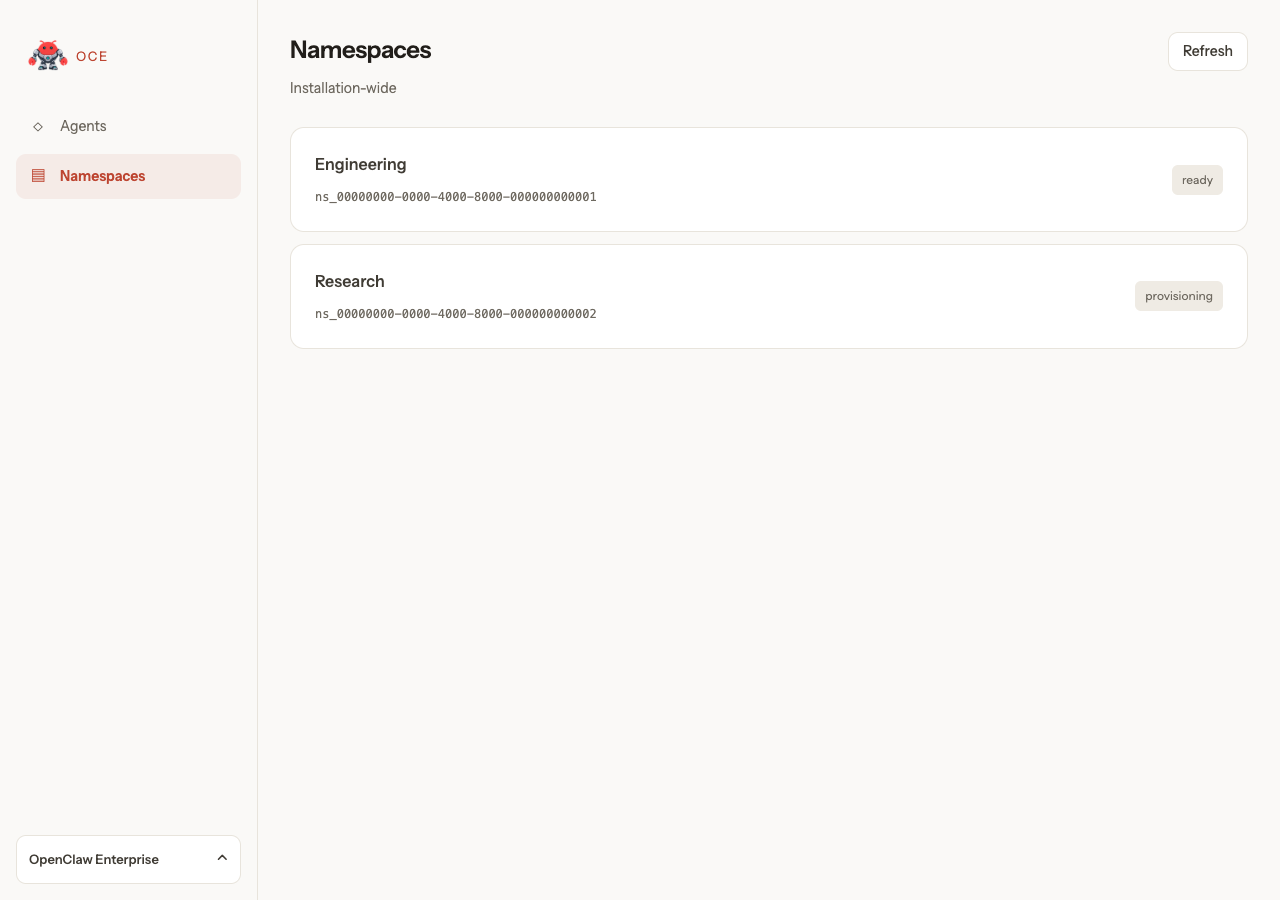
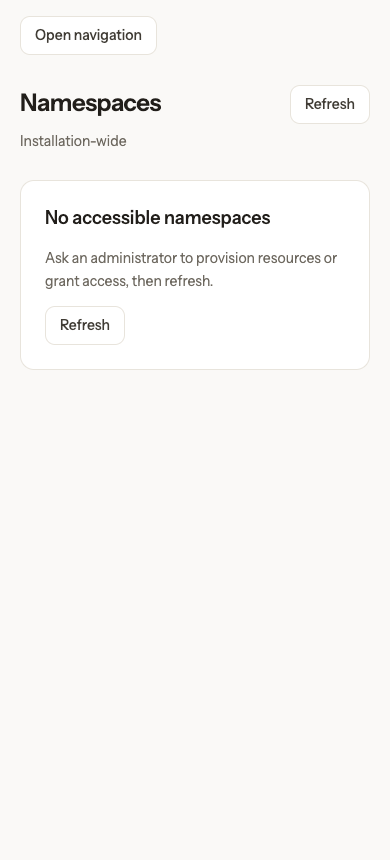
Simulated examples: desktop selector, mobile empty collection, Namespaces page without a selector, and a switching walkthrough.
Create and deploy
Compare New version queued, Deployment waiting for runtime, and Deployment retry after dependency failure; switch versions and check Last checked.
First deployment creates credentials accepts Deploy new version without a separate credential action. Its initial state is not a Stop request; OCC generation is simulated.
Choose a Preset, fill its variables, review seeded workspace files, and create an Agent with the Codex harness. The Console submits inline Configuration and Secret references, then follows simulated provisioning. A separate flow starts without a Preset, selects OpenAI with Codex, creates or selects a model Secret, selects a model, edits IDENTITY.md, and clears USER.md before creation. OpenClaw and unsupported-runtime stories retain the draft workflow: provision credentials and deploy from Agent detail.
DevDay previews SWE, Community, Q&A, Oncall, and standard presets with models, workspace templates, six Slack channels, model Secrets, Linear, and repository choices. The simulated catalog works with any Preset or Secret choice. Plugins Curated exercises token-free discovery with simulated Driver responses; actual access remains unverified. Hosted discovery requires an eligible Codex service-account token. Workspace and Standard OpenClaw stories preview file and harness settings. Preset Secret stories cover existing, pending, denied, and empty results while retaining new-token entry. Community, Q&A, and Oncall Agents remain disabled in the example Installation YAML.
Use the DevDay storyboard for presenter actions, expected visible states, and fallbacks.
Choose provider, harness, and authentication covers the supported combinations. Models appear before credentials; Enter another model ID supports manual entry but does not prove access. Execution mode follows the harness; saved tokens require Codex. Experimental Dedicated OpenClaw shows the runtime-build warning; Embedded OpenClaw does not.
The fixture supplies a ready Namespace, Preset, and model Secret. Namespace provisioning, Preset CRUD, and service-account issuance have no dedicated console pages. New version credentials select existing model Secrets or create new ones through the Secret picker. Slack tokens use that picker in both the Credentials tab and the Slack drawer under Channels. Teams credentials remain operator-managed; the console blocks deployment while Teams is enabled. See Create and deploy in the console for the supported installation workflow and prerequisites.
Repository previews cover shared access levels, empty or pending discovery, setup guidance when choices are unavailable, denied or unverified authorization, and reselection after a rejected save. In Repository choices unavailable, follow the setup link or retry discovery; creation without repository access remains available. The recovery story retains its saved Configuration and requires a current nonempty repository selection before retrying. GitHub App setup, Namespace approvals, runtime images, and credential-service networking remain operator prerequisites; the fixture does not verify them.
Return to loaded pages
Use Pages/Navigation → Return to loaded pages to revisit loaded pages during delayed reads. Exercise Back/Forward, Refresh, refocus, and Namespace switches. Agent refocus keeps its editor mounted after successful access checks; first visits may load.
Return Backend access denied checks Installation-wide denial. Return access denied and Return session expired must remove retained private content when the response arrives. These fixtures prove presentation; the browser suite owns authorization proof. Reset story clears retained state.
Keep edits while navigating
Use Pages/Agent detail → Keep Configuration edits, Components/Workspace → Keep unsaved files, Components/Credentials → Keep authentication choices, and Components/Channels → Keep Slack edits. Edit each form, visit another tab or Namespaces, and return with Back/Forward. Check empty and invalid text, then explicit Cancel or Reload. The Configuration story keeps deployment disabled; workspace Save changes only the selected simulated file.
Use Flows → Restart Agent creation to enter a no-Preset form, leave it, and confirm re-entry shows the initial choices with an empty new form.
Use Pages/Create Agent → Keep Preset variables before applying a Preset and Keep an unsaved Preset draft afterward. Ordinary fields survive while token inputs clear. Revisit the Agents list to check its search filter. Existing denied, loading, missing-file, and uncertain-write stories verify that retention does not bypass the editor's access or recovery controls.
Choose and switch revision Secrets
In Components / Credentials / Slack tokens stored, inspect references, cancel creation, then switch app tokens; the bot binding stays unchanged. The API-key switch offers another model Secret.
Secret list denied retains IDs. Slack grant denied preserves the reference but requires access recovery before deployment.
In Components/Channels → Slack Secret menu, search names/IDs; select with arrows and Enter. Slack create Secret modal shows Name and masked value. In Slack duplicate Secret name, rename and retry without reentering the value. Browser tests cover controller rejection.
Inspect bound Secrets in revisions
In Components/Channels → Revision read only, inspect Slack Secret identities; switch to Configuration for Harness authentication. Values never appear.
Revision Secret metadata denied, Revision Secret metadata missing, and Revision Secret metadata loading retain IDs during failed or pending reads. Revision without Slack bindings shows No Secret bound.
Discover and configure plugins
Create Agent / Discover plugins with a service account token uses simulated discovery. Open Configure plugins, select Calendar, then Add Calendar; expand a tool to edit its policy. Done returns to the form; Plugin selections JSON shows the draft. Search plugins queries the catalog; Filter tools filters locally. Credential, provider, or Harness changes clear the catalog and preserve selections.
Preload plugins after entering a service account token starts with the picker closed. Open it to reuse the background request. Plugin search loading holds the search response: loading should start while typing, preserve input focus, and replace empty-result feedback. Plugin tools loading holds Calendar's details: check its loading status and disabled Add Calendar. Reset to replay pending states before timeout.
Discover plugins with a selected PAT Secret uses simulated Secret metadata. Choose Calendar, then change the Secret to clear discovery. Selected PAT Secret discovery denied previews permission failure. Preset PAT Secrets enable discovery; API keys do not. Catalog visibility does not prove invocation access.
Components/Plugins → Unavailable reason popover covers keyboard access, dismissal, compact rows, help links, detail guidance, and disabled Add.
Components/Plugins uses simulated catalogs and capabilities. Expand a tool to inspect inherited enablement and approval. Its reviewer shortcut opens the plugin default when per-tool review is unsupported. New plugins omit tool defaults; an omitted reviewer inherits the Harness reviewer. Codex offers reviewer selection at the plugin default scope only. Unsupported saved tool reviewer remains visible and can be cleared to inherit. Tool IDs under names match the JSON keys.
Create Agent / Edit existing plugin policies exercises the form with simulated policy capabilities; it does not verify installation or runtime enforcement.
Pages/Agent detail → Edit plugins in new version starts with Calendar saved. Opening Plugins preloads the catalog using its Service Accounts Secret. In Configure plugins, add Documents and change Calendar's policy, then save and deploy. Plugins in admitted revision shows the frozen snapshot. Fixtures do not prove installation or live Agent turns.
Update
New version in progress shows v7 deployment work while v6 stays current; Current version during deployment opens v6 details while activity follows v7. Compare queued, failed, activated, and unavailable activity stories. Version metadata stays visible when saved settings are unreadable. Follow the walkthrough in Unreadable Agent draft and Unreadable revision snapshot to check banner scope and navigation. No story proves live serving.
Current observations starts unrequested. Compare Current observations for v7, Unknown observation for v6, and Current observation unavailable. Clicking requests that version's timestamped diagnostics without changing the recorded deployment result.
Outcome-unknown stories in Components/Channels and Components/Credentials disable deployment until Reload draft; they cannot prove a write committed.
Create new version opens saved settings. Save edits, then Deploy new version
to admit an immutable snapshot. Browsing does not deploy. Credentials need deployment;
workspace writes apply immediately. Native JSON excludes Agent-owned Backend and
execution mode. Slack channel users: ["*"] allows everyone; DMs remain separate. See
Agent revisions.
Enable Gateway password access stages a reference. Cancel discards it; Save Configuration, then Deploy new version applies it. Compare Gateway password access configured, Gateway password save denied, and Gateway password save in progress. These simulated Agent detail stories do not prove credential delivery or login.
The DevDay Admin UI segment uses a deployed oceclaw Agent and simulated
#openclaw-feedback Slack channel. Its native Admin UI simulates a transcript
and reply, with no gateway, Slack, credential, or model connection.
Stop
Open Stop Agent, inspect or cancel the confirmation, and confirm the stop. The fixture records the requested stopped state; Refresh stop status rereads it. It does not prove live shutdown.
Resume with Create new version → Deploy new version, creating a new revision. Disabling Slack does not stop an Agent. See Stop and resume.
Delete
Open Delete Agent, inspect or cancel the confirmation, and confirm permanent deletion. The UI enters cleanup state and removes editing/deployment controls. Refresh deletion status completes the fixture and returns to the Agent list. The console has no detailed cleanup-progress view. Namespace-owned Configurations and Secrets remain and require separate management. See Agent deletion.
Serving health, completed routing cutover, real shutdown, channel delivery, and model responses require runtime verification outside Storybook. The console displays persisted deployment status without a live serving-health indicator.
Maintain coverage
scripts/console-storybook/ installs from its own manifest and lockfile under the
repository's seven-day release-age policy, independently of root dependencies.
prepare-assets.mjscopies the current console assets and the shared contract modules served by the controller into ignoreddist/assets/. Run the build again after source edits; the development server does not automatically recopy console source files.public/scenarios.mjsowns story descriptions, initial data options, failure responses, automatic setup actions, and workflow instructions.public/fixtures.mjsintercepts API calls inside the preview. Unconfigured requests report an error and return 501; they never fall through to a server. Preview CSP also blocks network connections. Authentication and authorization responses are examples, not a security implementation.public/frame.mjsstarts the production console and opens configured controls.*.stories.mjsexports named stories by group;story.mjsadds instructions, UI-gap notices, the preview, and Reset story.
Update scenarios and instructions alongside console changes. Export new scenarios from their owning story file. Configure API responses; the console owns failure messages and UI markup.
Debug image walkthrough
Open Pages / Navigation / Debug runtime images. Expand an Agent and inspect
the gateway image reference, digest, Enterprise source commit, and separate upstream
OpenClaw commit. The sidecar has unknown provenance for both commits.
Navigate to Namespaces and confirm debug=true persists. Repeat in the mobile
drawer. Debug metadata unavailable covers a failed read; ordinary navigation
stories keep diagnostics hidden. These are presentation fixtures; Docker image
inspection and the Kubernetes API/worker integration suite verify Driver behavior.
Slack reply and DM policy checks
In Components/Channels, use Slack Threaded Default to save a new
channel-only setup with DMs disabled and inspect its native Configuration.
Slack Reply Override must preserve an existing replyToMode: "off".
In Slack Dm Policy, exercise an empty Allowlist error, save explicit DM
sender IDs, then switch through Open, Disabled, and Pairing. Reopen the editor
after saving and verify channel senders stay unchanged. Slack Enterprise Dm
shows organization-wide policy restrictions. Existing missing-credential,
read-only, and save-failure stories still cover those surrounding states.
Capture the final interactions and native values outside the repository;
attach reviewable screenshots and video to the task and PR.